Most CRM projects start with good intentions and a long list of fields. Six months later the real pipeline lives in a spreadsheet, a WhatsApp group and the owner's head, and the CRM is something people update before a meeting.
Four common causes
- Too much to fill in. Every required field is a small tax on the person doing the work.
- Nobody uses what goes in. If the manager still asks "where are we with this client?" on WhatsApp, the team learns the CRM does not matter.
- Two places to keep up to date. A spreadsheet next to the CRM means one of them is always wrong.
- Stages that do not match real life. If the pipeline stages describe what you hope will happen, nobody knows which one to choose.
Five fixes that need no new software
1. Cut required fields to the ones somebody uses.
For each required field, ask who reads it and what decision it supports. If nobody can answer, make it optional or remove it.
2. Run the weekly pipeline meeting from the CRM.
Open the CRM on the screen and nothing else. If a deal is not in it, it is not discussed. Adoption follows within a few weeks.
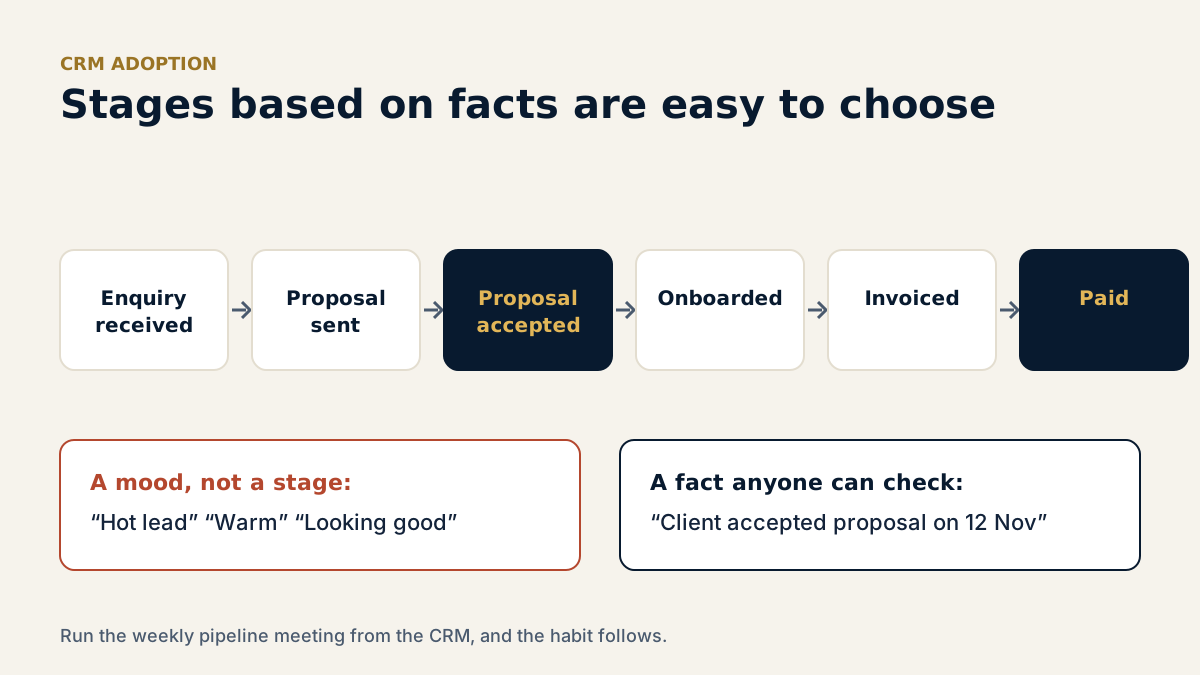
3. Define stages by what the client did.
"Proposal sent" and "Client accepted proposal" are facts. "Hot lead" is a mood. Stages based on facts are easy to choose and easy to trust.
4. Automate the one task people hate most.
Usually it is the follow-up reminder or the welcome email. Remove one annoying manual step and people feel the CRM working for them.
5. Give the CRM one owner.
One person decides on fields, stages and clean-up. Without an owner, every complaint becomes a new field and the problem grows.
One number to watch
Track the share of new enquiries logged in the CRM within one working day. It is simple to measure, it shows whether the habit is forming, and it protects the enquiries you cannot afford to miss.
Thinking of adding AI on top of your CRM? Score your foundations first with our free AI Readiness Scorecard. For the wider picture, see CRM, Automation and AI.
Want a second pair of eyes?
The 101 Review is a focused 60-minute session that shows what is broken, what to fix first and the single next step with the most value, in writing within 24 hours.
Filed under: CRM, Automation & AI. Related service: CRM, Automation & AI
This article is general guidance, not financial, tax or legal advice.